
Self-Hosted Email
Self-Hosted Email in 2026: FastPanel Mail vs iRedMail vs Mailcow
Self-hosting email remains one of the most challenging but rewarding projects in the self-hosting world. You gain full control and privacy, but deliverability, spam filtering, and maintenance require serious commitment. Three popular options in 2026 are FastPanel Mail, iRedMail, and Mailcow — each takes a fundamentally different approach to the same problem.
Solution Overview

FastPanel Mail
Built-in email management inside the FastPanel hosting control panel.
iRedMail
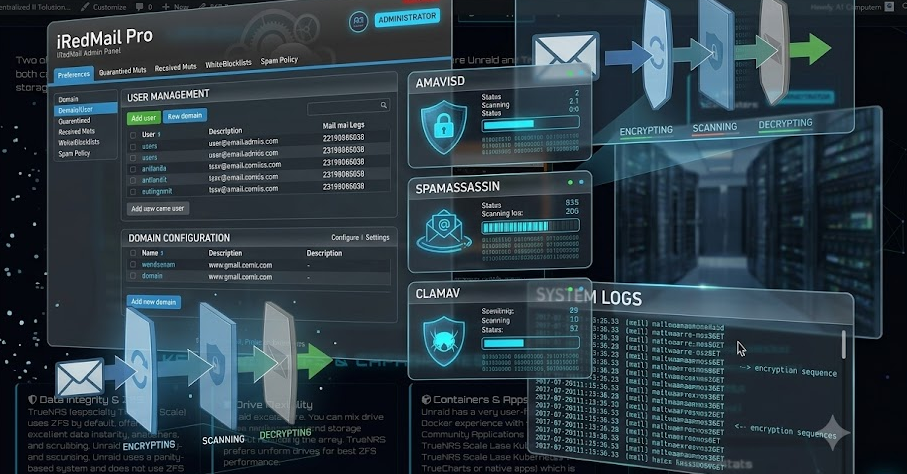
Full-featured open-source mail server installer for traditional Linux/BSD.

Mailcow
Modern Dockerized mail suite with a polished admin interface and SOGo.
Quick Feature Comparison
┌──────────────────┬─────────────────┬─────────────────┬─────────────────┐
│ Feature          │ FastPanel Mail  │ iRedMail        │ Mailcow         │
├──────────────────┼─────────────────┼─────────────────┼─────────────────┤
│ Architecture     │ Panel-integrated│ Native install  │ Dockerized      │
│ Setup Complexity │ Low             │ Medium          │ Medium          │
│ Admin UI         │ Basic           │ Basic/Pro       │ Excellent       │
│ Spam Filtering   │ Basic           │ Solid           │ Excellent       │
│ Webmail          │ Roundcube       │ Roundcube       │ SOGo + RC       │
│ Resource Usage   │ Low             │ Low-Medium      │ Medium-High     │
│ Updates          │ Panel-managed   │ Manual          │ Script-based    │
│ Best For         │ FastPanel users │ Traditional     │ Modern self-    │
│                  │                 │ sysadmins       │ hosters         │
└──────────────────┴─────────────────┴─────────────────┴─────────────────┘
Key Differences Compared
Architecture
FastPanel integrates email directly into a web hosting panel. iRedMail installs components natively on the host OS. Mailcow runs everything in Docker containers for isolation and easy management.
Admin Interface
Mailcow offers the most modern and polished UI. FastPanel keeps it simple and integrated. iRedMail’s free admin panel is functional; the Pro version adds significantly more capability.
Spam Filtering
Mailcow uses Rspamd — strong and modern. iRedMail includes solid open-source spam tools. FastPanel provides basic protection suitable for lighter or personal use cases.
Resource Usage
Mailcow typically needs 4 GB+ RAM. iRedMail can run lighter depending on backend choices. FastPanel’s email features are relatively lightweight when used alongside the panel.
Management Ease
Mailcow is excellent for day-to-day management with minimal SSH. FastPanel is easiest if you already manage sites there. iRedMail gives more direct access to underlying components.
Best Fit
Mailcow for modern self-hosters wanting a complete solution. iRedMail for traditional sysadmins who prefer native installs. FastPanel for users who want email integrated with hosting.
Detailed Breakdown of Each Option
The Hard Parts of Self-Hosted Email
Deliverability
Getting email into inboxes is harder than installing the software. You need proper reverse DNS (PTR), SPF, DKIM, DMARC, a clean IP reputation, and careful sending habits. Many residential and cheap VPS IPs start pre-listed on blocklists.
Maintenance
You are fully responsible for updates, security patches, monitoring, and regular backups of mail data and configurations. Any downtime means potentially missed email and damaged reputation.
Resource Overhead
Spam filtering and antivirus scanning can consume significant CPU and RAM. Plan for adequate resources and monitoring so your server stays responsive even under heavy load.
When to Choose Which Solution
Choose FastPanel Mail if:
Choose iRedMail if:
Choose Mailcow if:
Getting Started Checklist
Start Small
Monitor Deliverability
Backups Are Essential
Official Resources & Documentation
FastPanel
iRedMail
Mailcow
Mailcow Docs
DKIM Guide
Mail Tester
Questions for the Community
Which solution are you running?
How has deliverability been?
What was your biggest challenge?
Self-hosted email is not for everyone, but for those who value control and privacy, the effort is worthwhile. Choose the solution that matches your technical comfort level and operational requirements.
Disclaimer
This content is for educational and informational purposes only. It is not technical advice. Self-hosting email requires careful attention to security, deliverability, and ongoing maintenance. Always test thoroughly and maintain proper backups.
DISCUSSION
No replies yet. Be the first to join the discussion!